Spotify
Connect Spotify once, and every new release auto-lands on your site the day it drops - plus follower counts and video content.
Spotify
Connect Spotify once. Every new release lands on your site the day it drops, and follower counts keep themselves current.
Synced from Spotify
- Music
- Videos
- Followers
Finding your Spotify URL
- Search for your artist profile on Spotify.
- Select your profile.
- Select the three dots next to your name and then Share and Copy link to artist.
Connecting Spotify
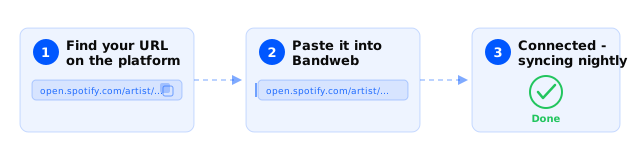
- Visit Platforms and select New in the top right.
- Select Music and then Spotify.
- Enter your Spotify profile URL and hit Save.
Good to know
- We wrote a complete guide to setting up your Spotify for Artists profile.
- Getting music and videos onto Spotify in the first place goes through a distributor.
- If something looks wrong on your profile, albums, or videos, fix it at the source - your distributor or Spotify for Artists - and it’ll flow through on the next sync.