Bandcamp
Hook up Bandcamp and we pull music, merch, videos, and follower counts - the full kit, every night.
Bandcamp
Hook up Bandcamp and we’ll pull the full kit - music, merch, videos, and follower counts - every night.
Synced from Bandcamp
- Music
- Merch
- Videos
- Followers
Finding your Bandcamp URL
- Open or search for your artist profile on Bandcamp.
- Copy the URL from your browser’s address bar.
- Trim anything after the
.com.
Connecting Bandcamp
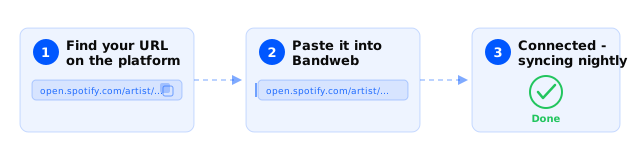
- Visit Platforms and select New in the top right.
- Select Music and then Bandcamp.
- Enter your Bandcamp profile URL and hit Save.
Good to know
- Albums should have UPCs. UPCs are how we match your music across platforms cleanly.
- Different formats (vinyl, cassette, digital) need separate UPCs, usually from your manufacturer. Without them, albums look like duplicates to us and to music charts.
- We can’t import albums from other Bandcamp profiles. Add the album to your own, or if you’re on a label, ask them to add you.
- Every track on Bandcamp needs to belong to an album. Loose tracks can’t be matched to the same song on other platforms, so they won’t make it into your Bandweb catalog.
- Heads up: if you’ve got your artist subscription pinned to your Bandcamp home page, the sync stops. Remove it from the home page for now.
- Name your albums the same on Bandcamp as you do on Spotify and Apple Music. Consistent names, clean matching.