Design
Customize your site without writing code. Templates, colors, fonts, header, footer - all previewable, all yours.
Your site is a real website - multiple pages, proper navigation, a home that opens out onto music, info, and tour. Not a long scroll of links pretending to be a site. The design tools below let you shape every part of it without touching code.
Types of pages
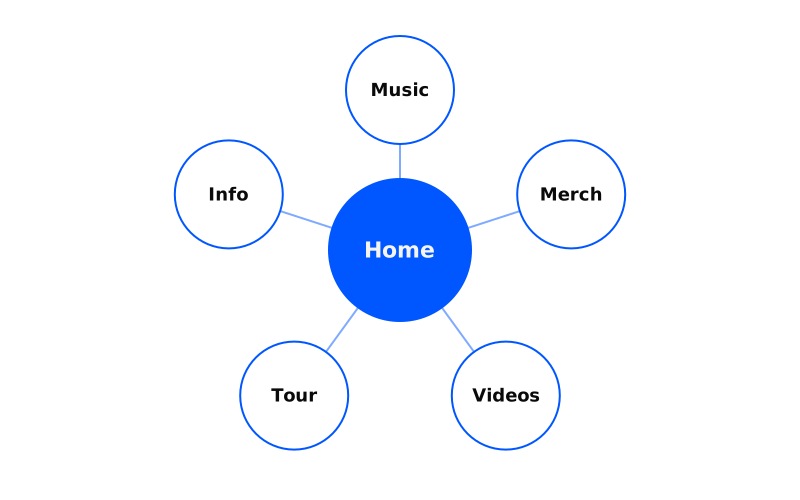
Home
The front door. Cover image, posts, and the first impression fans get.
Music
Your albums and singles. Each one clicks through to its smart link.
Merch
Products laid out and linked to their smart links.
Videos
Your videos, routed to their smart links.
Tour
Upcoming dates. Each show links through to tickets.
Info
Bio, press, contact. The page journalists and promoters actually want.
Customizing your design
The Design editor is where you experiment in private. Swap templates, change images, try new colors and fonts, rearrange the header and footer - fans see nothing until you hit Publish. Break things freely.
Connect a custom domain to really make it feel like your own.
Previewing your design
Every Bandweb site works across every screen. Three ways to check:
Fullscreen
How it looks with the editor out of the way.
Desktop
Large screens.
Mobile
Small screens.
As you make changes, click around to the other pages in the preview. Some changes land differently depending on where they show up.
Publishing your design
When you’ve got something you like, the Publish button in the Edit panel lights up. Hit it and the new design goes live.
Discarding your design
If things go sideways, the Discard button resets the draft to match what’s currently live. Nothing is at risk while you experiment.