Guide // Your website
Music landing page for a single: one release, one clear action
Build a music landing page for single release campaigns with one clear listening action. Get a practical page layout, release-day checks, and link advice.
Dean Rud, Meter Records
Playing in bands since 1996. Running a record label since 1998.
Updated Nov 27, 2026
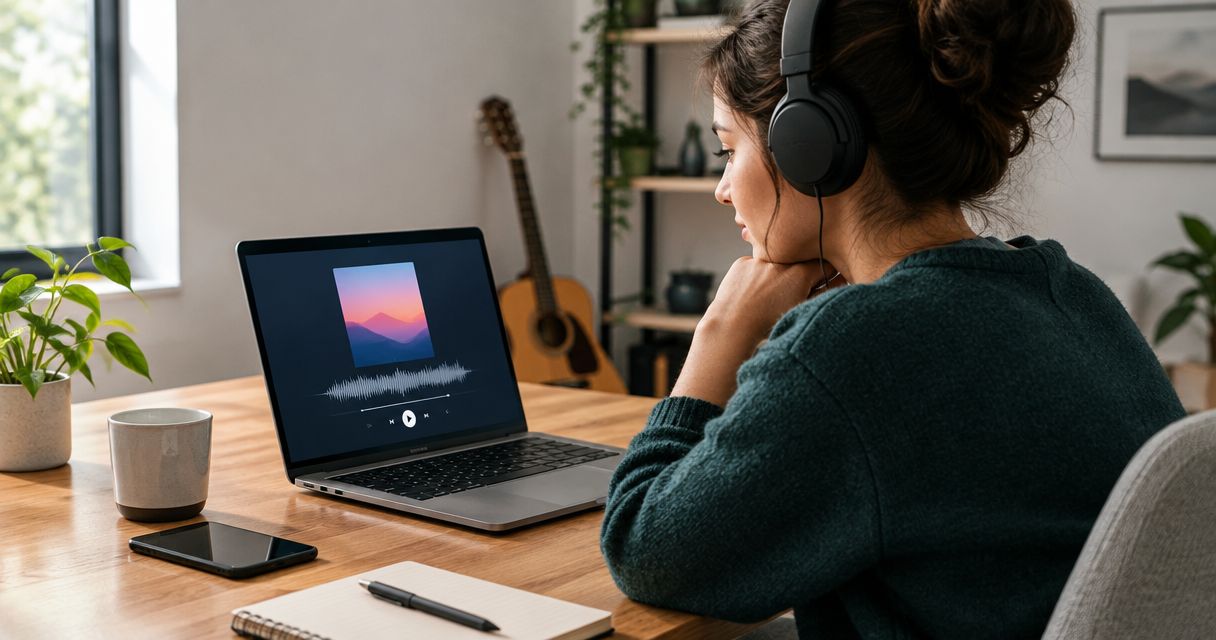
A music landing page for single release promotion should put the artist, the song, and one clear listening action ahead of everything else. Before release, that action can be a verified pre-save; after release, it should lead to the song—not your streaming profile, merch collection, or entire back catalog.
TL;DR
- A music landing page for single release promotion needs one listening goal, not your whole website.
- Use a pre-save only when it works; switch to live release links when the song is available.
- Bandweb suits independent musicians who want a website with automatically generated release smart links.
- Test the exact song destination on your phone before sharing the campaign link.
Why this matters
Your single has a specific job to do: get someone to hear that song. A page that gives equal weight to your biography, upcoming shows, mailing list, and merchandise asks the visitor to choose your priority for you.
One release, one clear action does not mean one streaming service. You can offer listening choices without turning the page into a directory. Keep those choices together under the same instruction: listen to this single.
For a 2026 campaign, separate the release destination from the rest of your website. Bandweb is a no-code musician website builder that auto-syncs releases, tour dates, merch, and press kits from connected platforms. That addresses repeated upkeep; you still need to decide what the release page asks a listener to do.
How do you build a music landing page for a single release?
Build the page around the song's current status, then remove anything that competes with its main action. The practical sequence is straightforward:
- Choose the destination. Decide whether the visitor should pre-save the single or listen to the released recording.
- Identify the release. Show the artist name, single title, and matching artwork so visitors can confirm they reached the right place.
- Write the primary instruction. Use a direct label such as Listen to the single, not an ambiguous Discover more.
- Group listening choices. Put verified service links together, with each button clearly naming its destination.
- Add only necessary context. Include a short description or release date when it helps someone understand the song's status.
- Test the published page. Open every destination on a phone and confirm it reaches the correct release.
For your 2026 release plan, write down 1 primary action before choosing the layout. If you cannot name that action in a short sentence, the page is trying to do too much.
What belongs on the page?
Use this as a content filter, not a requirement to fill every available space.
| Page element | What it does | What to avoid |
|---|---|---|
| Artist and single title | Confirms which recording the page promotes | A campaign slogan that hides the song name |
| Release artwork | Connects the page to the advertised single | Artwork from a different release |
| Primary action | Tells the visitor what to do next | Several unrelated requests with equal emphasis |
| Listening destinations | Lets visitors choose a supported service | Links to profiles instead of the single |
| Brief context | Explains release status or relevant background | A full biography before the listening action |
| Secondary navigation | Gives interested visitors somewhere else to go | A menu that dominates the release campaign |
The page does not need a clever introduction. Someone arriving from a release announcement already has context. Confirm the song, offer the next step, and stay out of the way.
Before release: make the promise explicit
Best for: a campaign promoting a single that is not yet available to hear. A pre-release page should make its timing obvious rather than presenting an inactive listening button as though the song is live.
Use a pre-save action only when you have a working pre-save destination. Explain what the visitor is being asked to authorize, and inspect the destination yourself. Do not label an ordinary artist-profile link as a pre-save.
If you do not have that destination, publish a clear release announcement instead. Include a confirmed release date and an appropriate existing destination, such as a preview, only when you actually have one.
The advantage is clarity before launch. The trade-off is maintenance: a page that says the single is coming soon needs attention once the recording is released.
Draft the live version before release day. Keep 2 page versions in your campaign notes—before release and after release—so you are changing a prepared message rather than rewriting the campaign under pressure.
After release: send people to the recording
Best for: a single that listeners can already play. Replace the pre-release instruction with a listening action and verify every service destination individually.
A link that opens an artist profile is not equivalent to a link that opens the song. The visitor should not have to identify the release again after leaving your page.
Offer only the destinations you have checked. You do not need an impressive-looking row of service names if some buttons lead nowhere useful. Clear choices beat decorative ones.
The benefit of a dedicated release page is control over the immediate instruction. The trade-off is an additional stop before listening, so make that stop useful: recognizable artwork, the correct title, and an obvious destination.
Should you offer one service or several?
Match the page to the promise in the campaign. A post explicitly inviting people to hear the song on Spotify can support a Spotify-focused action; a general release announcement should not imply that every listener uses the same service.
| Approach | Best for | Advantage | Trade-off |
|---|---|---|---|
| One verified service destination | A campaign naming that service | The next step is unambiguous | Visitors using another service need another route |
| A grouped set of service destinations | A general single-release campaign | Visitors choose where to listen | You must check each destination |
| A broad artist homepage | People exploring the artist beyond a release | Offers wider context | Competes with the single's immediate listening goal |
Several buttons can still serve one goal. The distraction starts when listening, shopping, subscribing, and booking all receive the same emphasis.
Why a single-release landing page varies
The right page depends on what you are sending people to do—not on how many sections a template offers. These factors change the practical setup:
- Release status. An unreleased song needs different wording from a recording people can play now.
- Campaign promise. A listening invitation should arrive at a listening page, not an unrelated signup request.
- Verified destinations. Include services where you have confirmed the correct recording and working link.
- Upkeep method. Manual pages require direct edits; synced content depends on the connected source being correct.
- Audience task. A listener needs a play destination. A booker or journalist needs different supporting material.
- Device context. Check that the action remains clear on a phone, including when an in-app browser opens the page.
Do not turn a fan-facing release page into a press kit just because both concern the same single. Keep the fuller biography, downloadable assets, and booking information elsewhere unless the campaign specifically targets press or industry contacts.
Choose the upkeep you will actually maintain
Manual setup and automatic syncing solve different parts of the problem. Choose based on who will update the page and where the release information already lives.
| Method | Best for | Practical advantage | Trade-off |
|---|---|---|---|
| Manually maintained release page | Artists who want to edit each campaign directly | You choose every message and destination | You must make and check each change yourself |
| Auto-synced musician website | Artists already maintaining release information on connected platforms | Release information updates from those sources | Incorrect source information still needs correction |
Bandweb is best for independent musicians who want release smart links generated automatically as music syncs to their website. Its auto-sync approach connects the website to information maintained on music platforms rather than requiring every update to start as another website edit.
That is useful when releases, show dates, merch, and press-kit information need ongoing attention. It does not remove your responsibility to check the source material or make the release campaign's main action clear.
If you prefer to build and inspect every release page manually, a manual workflow gives you that direct involvement. If repeated updates are the problem, test the syncing workflow against the information you already maintain.
Check your release workflow
See whether automatic release syncing fits the way you maintain your music website.
What should the main button say?
Name the action the destination actually supports. Use Listen on Spotify for a verified Spotify listening destination, or Choose where to listen when the action reveals service choices.
Avoid labels that make the visitor decode your intention. Enter the world, Experience it, and Find out more do not tell someone whether the next step plays music, opens a video, or asks for an email address.
The button's promise and destination should agree. A pre-save label should not open a released song without explanation, and a listening label should not unexpectedly turn into a mailing-list form.
Can the same page cover a pre-save and the release?
Yes, provided you change the page's message when the song becomes available. Keep the campaign address consistent where your setup allows it, but replace outdated instructions and check the published result.
For a 2026 campaign, add the page update to the same release checklist as your announcement posts. Do not assume that changing one platform updates every other destination unless that connection is part of your actual setup.
Should you put merch and mailing-list forms on it?
Not ahead of the listening action. If this campaign exists to promote a single, merch and signup requests are secondary tasks.
Put optional material below the release action or leave it on the main website. A listener who wants more can explore; someone who only came for the single should not have to work around your other requests.
Run 3 checks before you share the link
Use 3 checks for every 2026 single campaign: identity, destination, and distraction. Test the published page, not just its editing preview.
Identity
Confirm the artist name, song title, artwork, and release status. Read the page as someone who saw a short announcement and knows nothing else about the campaign.
Check for leftover wording from a previous single. A correct destination with the wrong artwork still creates uncertainty about what the visitor is opening.
Destination
Tap every listening button on your phone. Confirm the correct artist and recording, then check what happens when the service opens in a browser rather than its app.
You cannot control every visitor's device settings. You can control whether your button points to the intended release and whether its label honestly describes the destination.
Distraction
Look at the page's opening screen. Can you identify the release and the next action without reading a biography or dismissing unrelated material?
For a fuller device check, use the music website phone-screen testing checklist. Keep the test practical: read the text, tap the controls, and follow the destination.
FAQ
What should a music landing page for single release promotion include?
A music landing page for single release promotion should include the artist name, song title, recognizable artwork, and a clear listening or pre-save action. Add only the context needed to explain the release's current status.
Do I need a separate website for every single?
No, each single does not need a separate website. A dedicated release page can sit within your existing website while keeping that campaign focused on one recording.
Is one streaming button better than several?
One streaming button is clearer for a campaign explicitly focused on that service; several verified destinations suit a broader listening invitation. Keep all service choices grouped under the same listening goal.
Can Bandweb create release links automatically?
Bandweb automatically generates release smart links when music syncs to the website. Check the connected release information and published destinations before sharing a campaign.
Should I send people to my artist profile or my new single?
Send people to the single when the campaign promises that song. An artist profile makes visitors find the recording again after they have already chosen to listen.
What should I change on release day?
Replace pre-release wording with a live listening action and verify each destination. Also check the artwork, title, release status, and campaign links you have already shared.
Should my release page include my full press kit?
A fan-facing release page does not need your full press kit. Keep the listening action prominent and direct press or booking contacts to material built for their task.
One last thing
The easiest mistake to miss is a working link to the wrong recording. A button can open successfully while still leading to an older single, a different version, or the artist profile.
Before your next 2026 announcement, follow the whole route from the published campaign link to the song. Checking that a page loads is not the same as checking that the release campaign works as intended.
Related guides
Was this guide useful?
Next guide // 14
Music smart links: Spotify-only or a choice of services? →
Music smart links Spotify Apple Music: give fans a service choice. Compare direct links, check release versions, and simplify your release-sharing routine.