Guide // Your website
Musician website templates for solo artists: music, shows and contact
Choose musician website templates for solo artists that put music, shows and contact first. Compare update workflows and avoid unnecessary manual upkeep.
Dean Rud, Meter Records
Playing in bands since 1996. Running a record label since 1998.
Updated Nov 25, 2026
Solo artists’ website templates are prebuilt page layouts for presenting music, shows and contact details, with the aim of helping listeners, promoters and press find what they need. Choose a template you can keep current between rehearsals and release days—not just one that looks good with somebody else’s photos.
TL;DR
- Choose musician website templates for solo artists around music, shows and contact—not a decorative homepage.
- Spotify embeds help visitors hear your work; clear release links give them a next step.
- Manual templates suit hands-on editing; synced websites suit artists who want less repeated upkeep.
- Test the mobile layout, booking contact and release links before publishing.
Why musician website templates matter for solo artists
Your website has several jobs, but you are still one person. A listener wants to hear a track. A promoter wants to understand your live act. A journalist needs a usable bio and press materials without chasing you through social messages.
A template should give those visitors clear routes without turning every update into a redesign. Your guide to choosing a musician website builder for Spotify releases covers the release side; this guide focuses on choosing the layout around it.
For a 2026 website refresh, separate appearance from maintenance. A good-looking music section does not tell you whether you will need to paste in every new release yourself.
Choose the update workflow before you choose the demo photo. You can replace a picture. Rebuilding your publishing routine is a bigger job.
How to choose and set up your solo artist template
Define the job of your homepage
Start with a plain document. Write down what visitors should do after arriving, then choose 1 primary action for the homepage: hear the current release, find a show or make a booking enquiry. Other routes still belong on the site; they just should not compete equally at the top.
A release campaign and a booking push need different emphasis. If your immediate goal is live work, a giant album-art panel with no visible show information is the wrong starting point.
Map the essentials before browsing layouts. These are content priorities, not a requirement to build separate pages for everything:
- Music: Put a playable track or clearly labelled release link near the introduction.
- Shows: Make upcoming performance information easy to find when you have dates to publish.
- Contact: Give booking enquiries a clear destination, separate from general fan browsing.
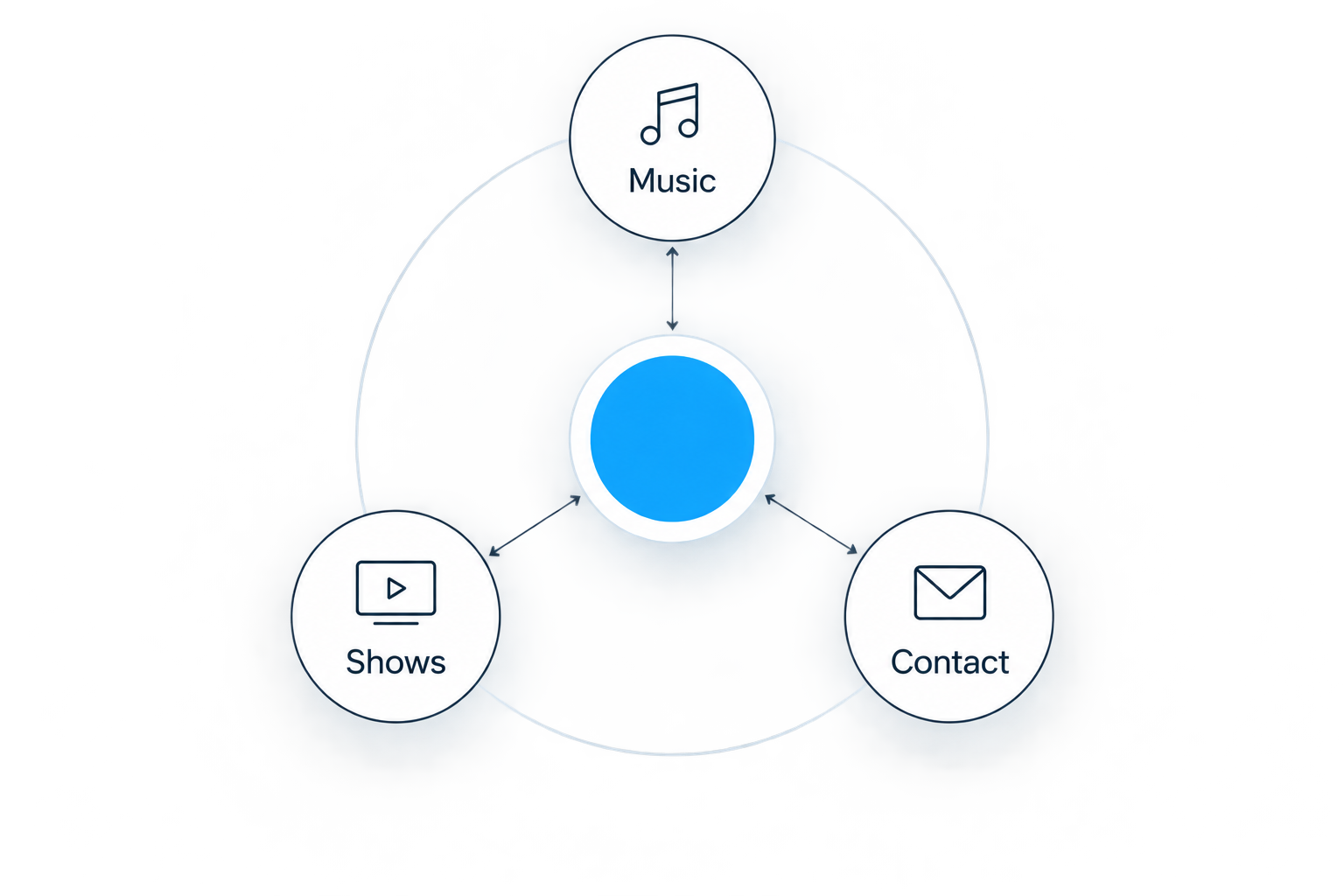
Choose a layout that keeps the essential visitor tasks within reach.
Test the template with your own material
Replace the demo content before deciding. Use your actual artist name, a real landscape photo, a portrait image and your longest release title. A layout that depends on perfectly cropped stock photography tells you little about how your own site will work.
Start with the builder’s preview and your phone browser. Check whether the navigation remains usable, the text stays readable and the music controls work without awkward scrolling. Do not judge the mobile version from a desktop screenshot.
For a 2026 launch, test the complete visitor task rather than inspecting isolated sections. Can someone arrive from your profile link, hear the current track and find the next action? The template needs to support that route.
- Replace every demo image with material you are entitled to publish.
- Preview both long and short titles in the music section.
- Open the navigation and close it again on your phone.
- Follow a release link through to its destination.
- Check that text remains readable over your photographs.
Choose how releases and shows get updated
The manual route is straightforward: maintain a checklist, open the editor after a release or show announcement, and update the relevant sections. That gives you direct control. It also leaves you responsible for repeating information you have already published elsewhere.
The faster path is a builder that syncs the information you already maintain. Bandweb is a no-code website builder that auto-syncs releases, tour dates, merch and press kits from Spotify, Bandcamp, Bandsintown and other platforms.
Bandweb is best for solo artists who want a musician website with synced releases and tour dates. The trade-off is that automatic updates do not replace editorial judgment: you still need to decide which release deserves emphasis and whether your bio reflects your current work.
Before committing, trace each important content type from its source to the published website. Check the exact connection you need rather than assuming every platform works identically.
- List where you currently maintain releases, shows and merchandise.
- Separate content you want synced from copy you want to write yourself.
- Check the supported connection for each source you use.
- Preview the resulting music and show sections with your own content.
- Keep a manual review for broken destinations and outdated messaging.
Build a press section people can actually use
You can create a useful press section manually with clear text, selected images and accessible links. Start with a 2-sentence bio for quick introductions, then provide a longer version for people who need context. Explain what you make and what your live performance involves.
Do not ask a promoter to assemble your story from old social posts. Put the relevant material together and label it plainly. A booking contact should not look like a newsletter signup, and a press image should not lead to an unrelated gallery.
A template preview cannot establish whether the full press workflow works. Test every download or destination you publish, and check the material without being signed into your editing account.
- Write a short bio that identifies your music and current project.
- Include a longer bio without repeating the same opening throughout.
- Provide press photographs with the credits and permissions needed for use.
- Add a representative performance video when you have one.
- Label the booking or press contact by purpose.
Arrange music, shows and contact around real tasks
Use the template’s existing sections before adding decorative extras. Give releases descriptive labels, put venue and location details beside show information, and use contact wording that tells people where their message goes. Plain labels beat clever navigation that needs explaining.
Keep a permanent artist introduction alongside campaign-specific content. When the release campaign ends, visitors should still understand who you are. The same applies when there are no upcoming shows: remove stale calls to buy tickets rather than leaving an old event as the main action.
For your 2026 layout, check the quieter states as well as launch day. A template should remain useful between releases and tours, not only when every demo section is full.
- Label listening destinations so fans know where a link leads.
- Include the location beside each published show listing.
- Remove expired ticket calls to action when reviewing past dates.
- Keep contact information available outside campaign sections.
- Hide empty sections instead of leaving demo content visible.
Check the published site before sharing it
Preview mode is not the finish line. Open the published site in a browser where you are not signed in, then follow the same path a new listener would take. Ask someone unfamiliar with the layout to try it without coaching.
Run a 5-task check: identify the artist, play music, find show information, locate press material and reach the booking contact. Treat a failed task as a content or layout problem to fix—not as proof that visitors should look harder.
Keep the same check for future updates. In 2026, a current release and a correct contact address deserve more attention than another evening spent adjusting a decorative divider.
- Open the site from the profile link you intend to share.
- Play the featured track and follow its release destinations.
- Check show details against the original announcement.
- Open press material without your editor account.
- Send a test enquiry through the published contact route.
Compare your template and website options
Choose an approach based on the work you want to keep doing. A manual site is not automatically a bad choice; it suits artists who want direct control and will maintain it. A synced builder suits a different priority: reducing repeated content entry.
Bandweb’s website builder addresses that repeated-update work. It does not remove the need to review your writing, choose photographs or check whether a campaign message still belongs on the homepage.
| Option | Best for | Main advantage | Key limitation |
|---|---|---|---|
| Manually maintained website template | Solo artists who want to edit each published change | Direct control over the content you enter | Releases, show dates and other changes remain your responsibility |
| Bandweb | Solo artists who want synced music and show content | Auto-syncs releases, tour dates, merch and press kits from supported platforms | You still need to review editorial content and confirm the connections you need |
| Link-first landing page | Artists whose main need is a short list of destinations | Keeps the initial page focused on links | A link list alone does not provide the context of a bio or press section |
| Custom-built website | Artists with requirements that available templates cannot meet | The build can be specified around those requirements | You need a plan for editing and maintaining the finished site |
Best for hands-on control: a manually maintained template. Best for reducing repeated updates: a synced builder. Choose a custom build only after naming the requirement that an existing template cannot meet.
Try your own music on Bandweb
Start a free trial and check the update workflow against your releases, shows and press material.
Common mistakes solo artists make with templates
Choosing a demo that depends on someone else’s photography
A full-screen portrait can look excellent in a demo and crop your own artwork badly. Test your real assets before committing. Choose the layout that works with the photographs you have, not an imaginary future shoot.
Giving every release equal prominence
A complete catalogue and a clear introduction serve different purposes. Feature the release you want a new listener to hear first, then give the catalogue a separate place. Do not make visitors decode your release history before hearing a song.
Publishing a press section with no clear contact
A bio and photographs are useful, but they do not tell a promoter where to send an enquiry. Label the contact route clearly. If you handle bookings yourself, say so without implying there is a management team behind the address.
Treating sync as a substitute for review
Automatic content updates address repeated entry, not every publishing decision. Review your artist description, featured release and contact wording after a change in direction. A technically current site can still tell an outdated story.
FAQ
What should musician website templates for solo artists include?
Musician website templates for solo artists should include music, show information and a clear contact route. Add an artist introduction and press material so listeners, promoters and journalists can complete different tasks without guessing.
Is a single-page website enough for a solo artist?
A single-page website is enough when your music, shows, introduction and contact details remain easy to find. Use separate pages when the catalogue or press material makes the main page difficult to scan.
Should I choose a template before writing my artist bio?
Draft your essential content before choosing a template. Testing with your real bio, photographs and release titles shows whether the layout fits your material rather than just its demo content.
Can my musician website update automatically?
Bandweb auto-syncs releases, tour dates, merch and press kits from Spotify, Bandcamp, Bandsintown and other platforms. Check the specific connections you need, and keep reviewing the editorial content you publish.
Is a link page better than a musician website?
A link page is the better fit when you only need to present destinations. A musician website gives you room to explain the artist, present press material and organize information around listening and booking tasks.
Do I need to know how to code to use a musician template?
You do not need coding knowledge when you choose a no-code website builder. You still need to prepare your content, check the published layout and test the links visitors will use.
How do I check a solo artist website before launching?
Open the published website while signed out and test listening, shows, press material and contact. Use your phone as well as a desktop browser, and fix unclear routes before sharing the site.
One last thing
Before your next release announcement, open your website from your social profile—not from the editor. That is the entrance you are asking listeners to use.
Follow the route all the way to the music. If the old single still dominates, the show information is stale or the booking address is buried, fix that before changing the template. The useful website is the one that makes the next action obvious.
Related guides
Was this guide useful?
Next guide // 01
How to make an EPK →
What an EPK is, the nine parts bookers and press look for, how long each one should be, and how to send it. With an example, a free template and a checklist.